> ## Documentation Index
> Fetch the complete documentation index at: https://docs.hoppscotch.io/llms.txt
> Use this file to discover all available pages before exploring further.
# Hoppscotch Clients
> Explore the Hoppscotch clients available on web, desktop, and CLI. Learn about the user interface and how to navigate the platform.
Hoppscotch has multiple clients that you can use to develop and test your APIs. You can use Hoppscotch on the web, desktop, and terminal.
## Navigating Hoppscotch Interface
 ## Understanding the user interface
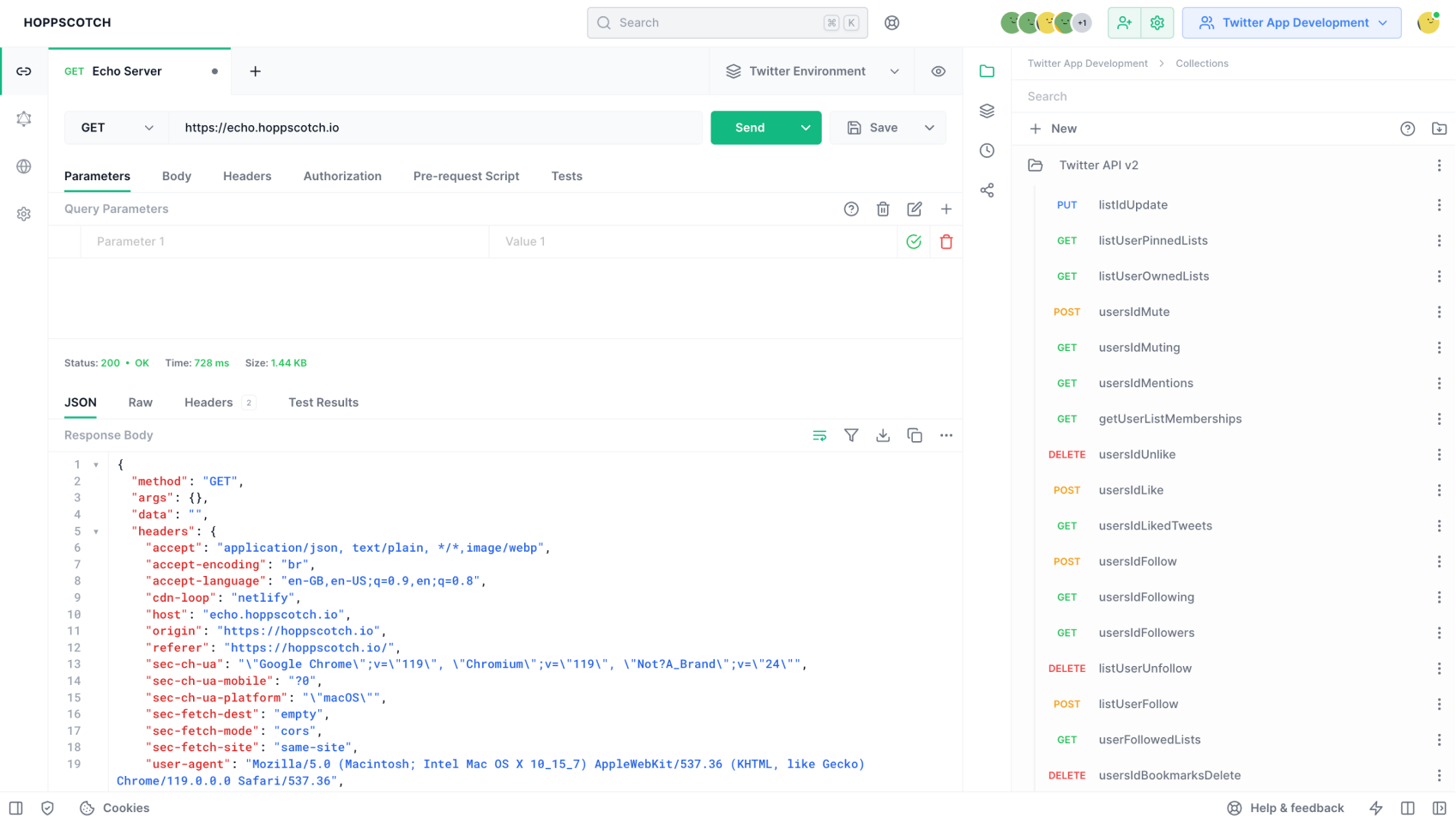
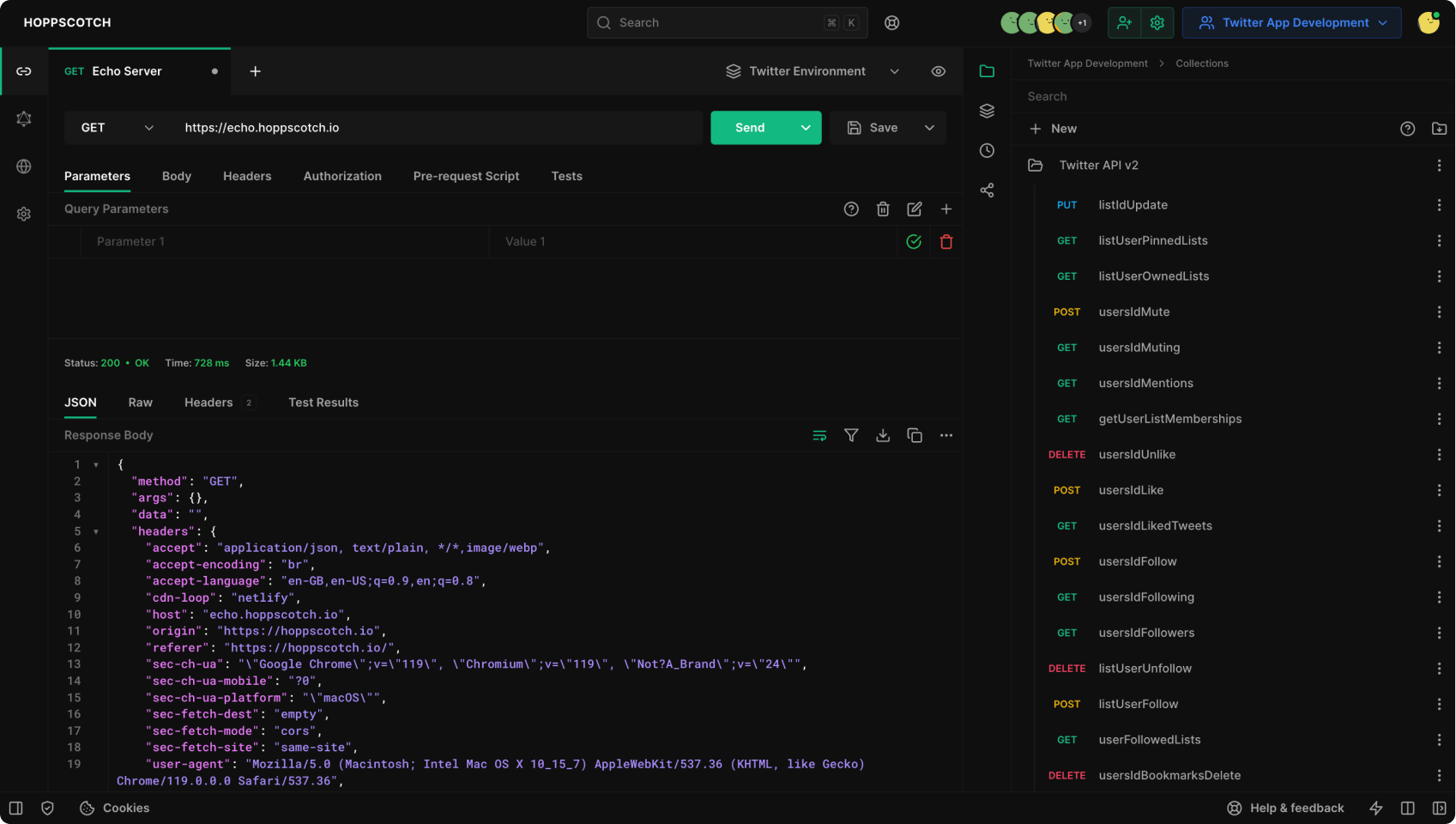
Hoppscotch has a simple and intuitive UI. The UI is divided into multiple sections:
### Topbar
The top bar is where you can find the search, login, workspace selector, and more.
### Menu
The menu is where you will find the different platforms that Hoppscotch offers and switch between them. You can also access the settings page from the menu.
### Sidebar
The sidebar is where you can see additional features depending on the platform you are working on. The sidebar houses features like history and collections.
### Main
The main panel is where you will spend most of your time. This is where you will create and send requests and view the responses.
### Footer
The footer houses the status bar. The status bar allows you to toggle the sidebar, go full screen, get help and support, and more.
## Understanding the user interface
Hoppscotch has a simple and intuitive UI. The UI is divided into multiple sections:
### Topbar
The top bar is where you can find the search, login, workspace selector, and more.
### Menu
The menu is where you will find the different platforms that Hoppscotch offers and switch between them. You can also access the settings page from the menu.
### Sidebar
The sidebar is where you can see additional features depending on the platform you are working on. The sidebar houses features like history and collections.
### Main
The main panel is where you will spend most of your time. This is where you will create and send requests and view the responses.
### Footer
The footer houses the status bar. The status bar allows you to toggle the sidebar, go full screen, get help and support, and more.