When you build a collection in Hoppscotch, documentation is generated for you out of the box. It covers every endpoint with ready-to-use code samples across popular languages. Request information like HTTP method, URL, headers, auth configuration, payload format, and response examples are all captured automatically. Want to provide more context? Use Markdown to write descriptions for collections, folders, or requests, they’ll appear directly in your published docs, helping developers get up to speed faster.Documentation Index
Fetch the complete documentation index at: https://docs.hoppscotch.io/llms.txt
Use this file to discover all available pages before exploring further.
What you can do
- Generate API documentation from your Collections
- Collaborate with your team to edit and refine content
- Support for Markdown descriptions
- Share documentation with your team or the world
- Publish documentation to a public URL
- Organize endpoints with folders and subfolders
- Include example requests and responses
- Code snippets for various languages and frameworks
- Version your documentation to maintain multiple releases
- Allow users to switch environments dynamically
Create documentation
Descriptions make your documentation more useful by providing context beyond the raw request details. You can add descriptions at multiple levels — collections, folders, and individual requests — using Markdown syntax for formatting, links, images, and code blocks.- Select a Collection: Choose the collection you want to document.
- Write Documentation: Navigate to Menu > Documentation.
- Publish: Get a shareable link to your documentation by publishing it.
Adding a description to a request
- Select the request you want to document.
- Navigate to the request’s description field.
- Add details about the endpoint’s purpose, expected parameters, or usage notes.
- Save to include it in the generated documentation.
Collaborative Editing
Invite team members to your workspace to collaborate on documentation. Changes made to the collection are reflected in the documentation, keeping everything in sync.Features
Real-time Updates
Documentation updates automatically as you modify your collection. You need to publish changes to redeploy the documentation.Code Snippets
Automatically generated code snippets for various languages and frameworks help developers integrate with your API quickly.Example Responses
Display example responses to help users understand what to expect from your API endpoints. You can add multiple examples for different scenarios (e.g., success, error).Markdown Support
Use Markdown to add rich text descriptions, images, and links to your documentation, making it easy to read and understand.Versioning
Maintain multiple versions of your API documentation to support different releases and API iterations.- Create a Version: When publishing your documentation, you can create a new version with a label (e.g.,
v1.0,v2.0). - Switch Versions: Users viewing your documentation can switch between available versions using the version selector dropdown.
Environment Selector
Each documentation version can be associated with a specific environment (e.g., Production, Staging, Development), allowing you to provide accurate base URLs and variables for that release.- Configure Environments: Set up environments with their respective base URLs and variables in your workspace.
- Select Environment per Version: When publishing a documentation version, choose the environment to associate with it. Each version supports one environment.
- Dynamic Base URLs: The documentation automatically displays the correct base URLs and code snippets based on the environment linked to the selected version.
v1.0-prod, v1.0-staging).
Publishing
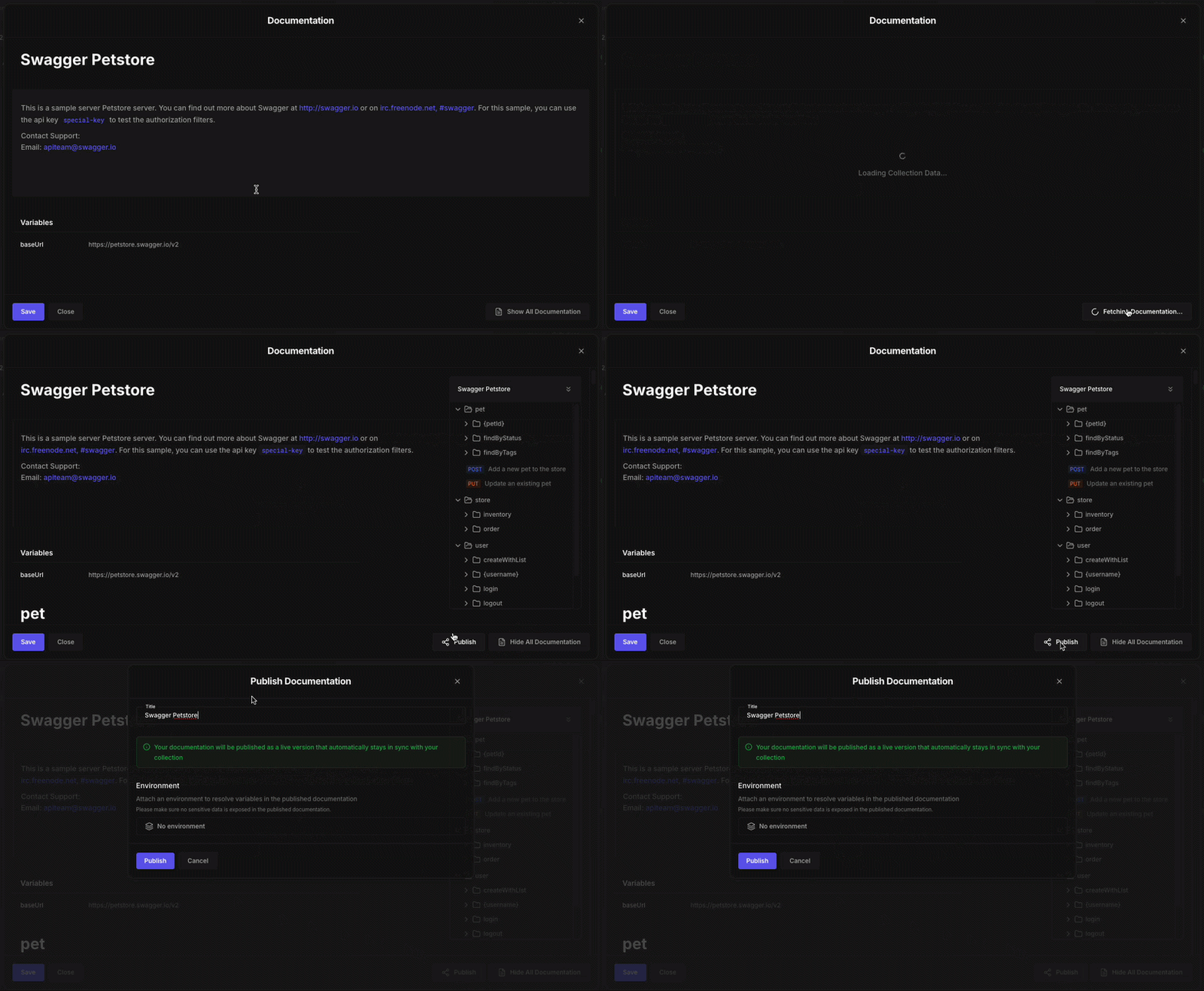
Publishing your documentation makes it accessible to anyone with the link, enabling developers worldwide to understand and integrate with your API. Once published, your documentation serves as a comprehensive guide for your collection, helping users explore endpoints and learn how to interact with your API. Published documentation automatically includes details for each request in your collection, complete with sample code snippets in multiple programming languages. When auto-sync is enabled, any updates you make to your collection are reflected in the documentation instantly, no need to republish after every change.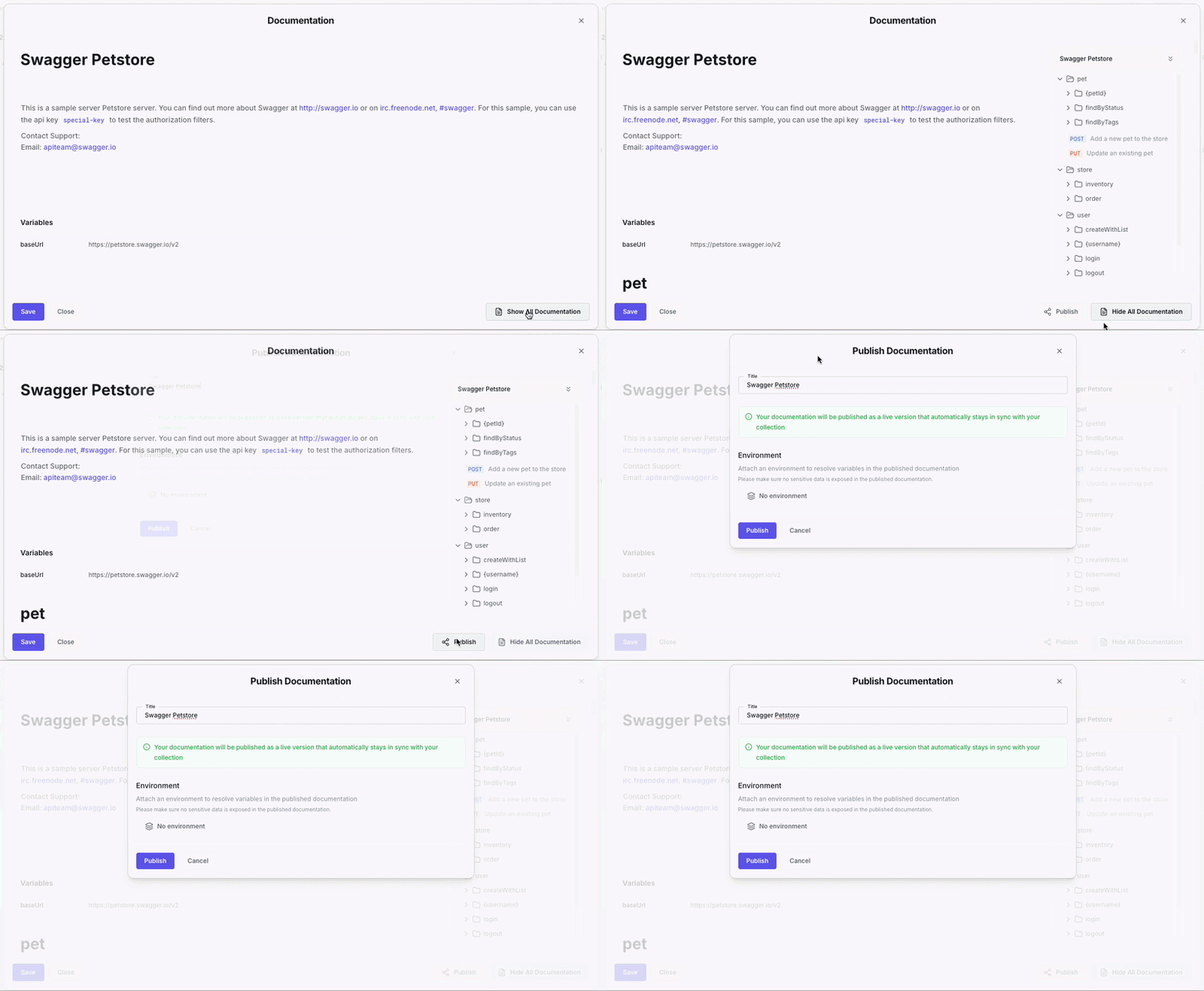
First-time Publishing
When you publish a collection for the first time, Hoppscotch automatically creates the initial version for you. The documentation will be auto-synced with your collection, meaning any changes you make to the collection will automatically update the published documentation.- Open Documentation Panel: Navigate to your collection and click on the Documentation option from the menu.
- Click Publish: The initial version is created automatically and synced with your collection.
Creating New Versions
After your first publish, you can create additional versions to maintain different releases of your API documentation. Click on “Create Version” to open the publishing options.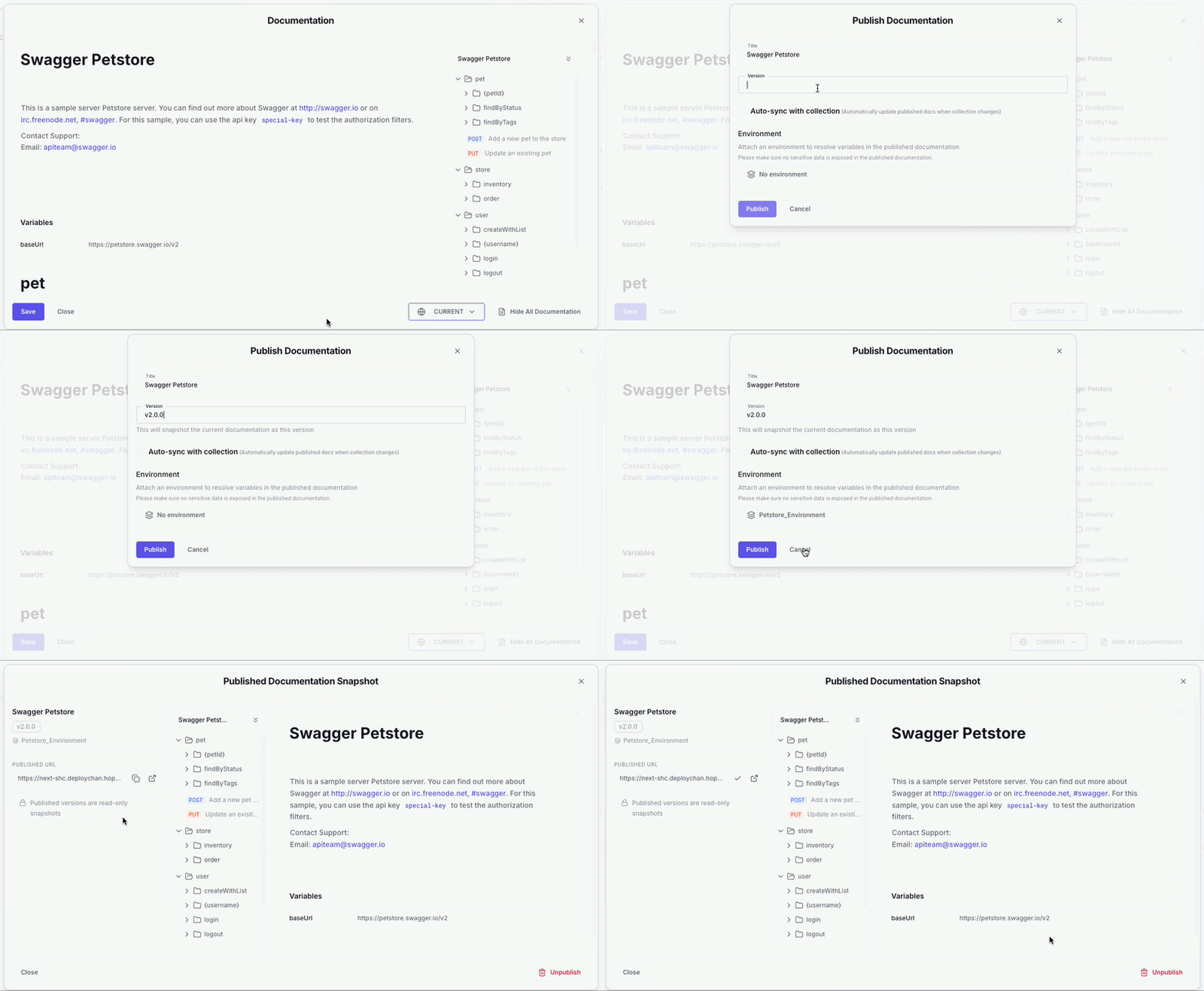
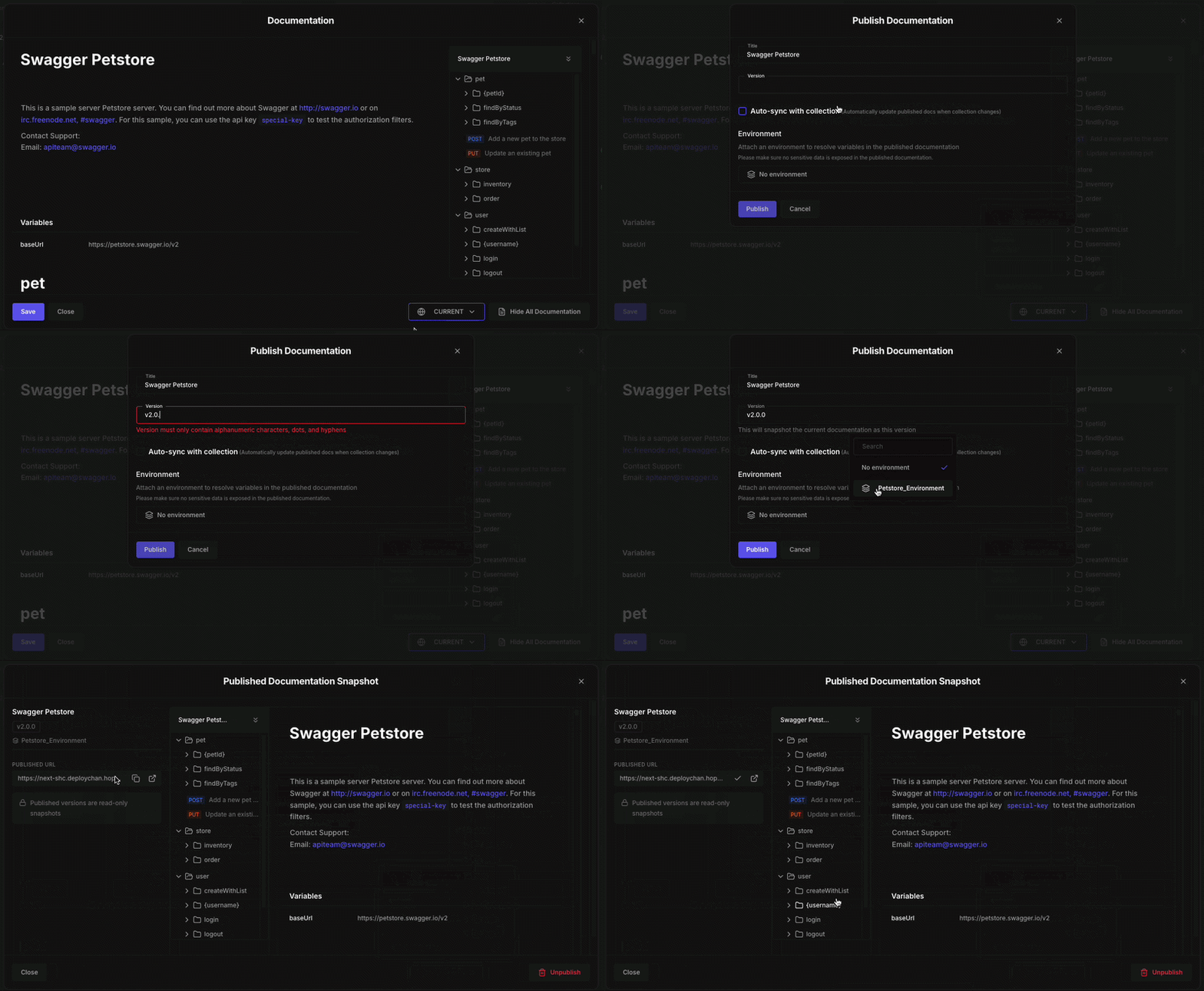
- Title: The name of your documentation (e.g., “Swagger Petstore”).
- Version: A label for this version of your documentation (e.g.,
v1.0,v2.0). - Auto-sync with collection: Enable this option to automatically update the published documentation when the collection changes. Disable it if you want to freeze this version.
- Environment: Attach an environment to resolve variables in the published documentation. The environment’s base URL and variables will be displayed in the documentation.
Published Documentation Snapshot
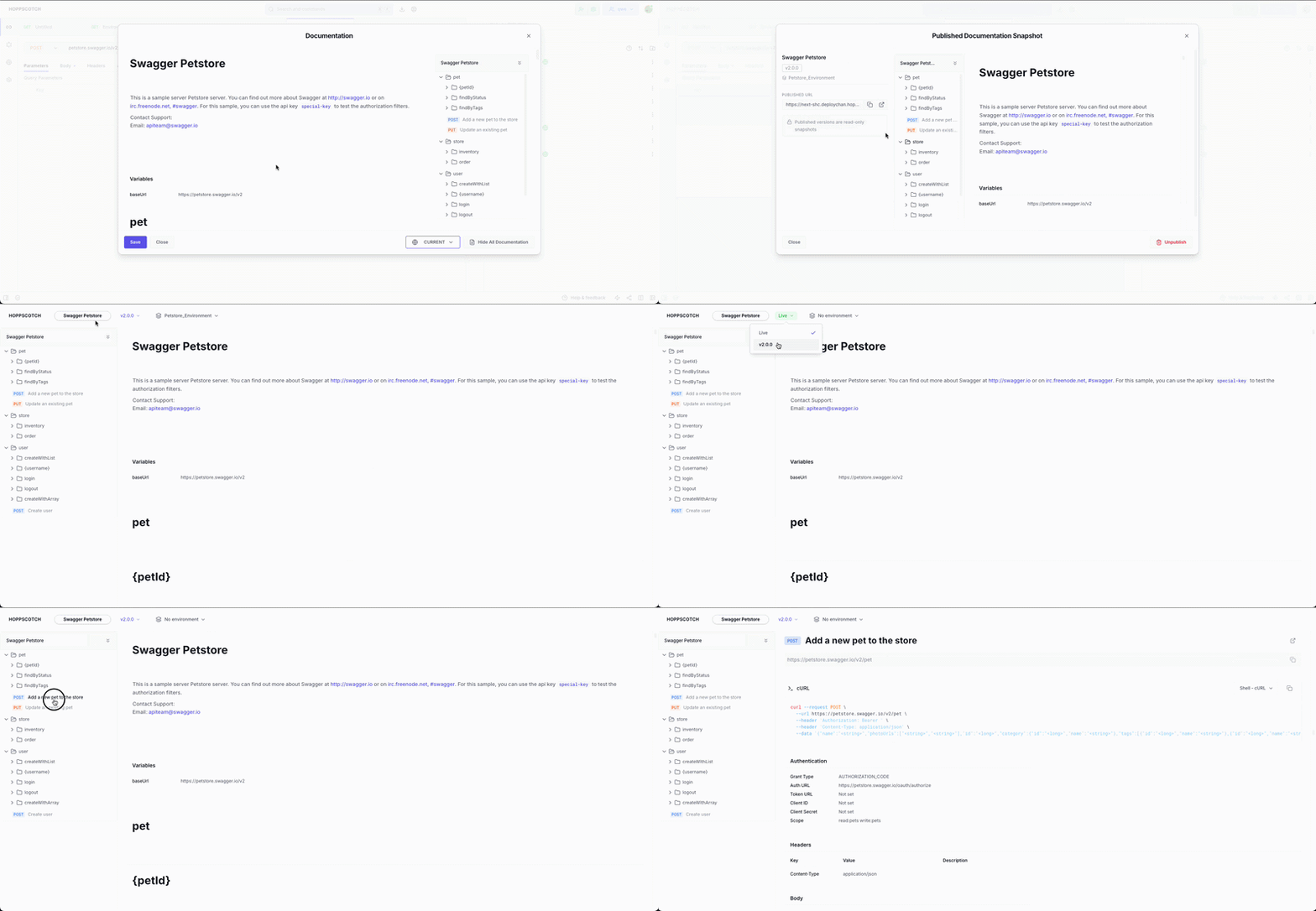
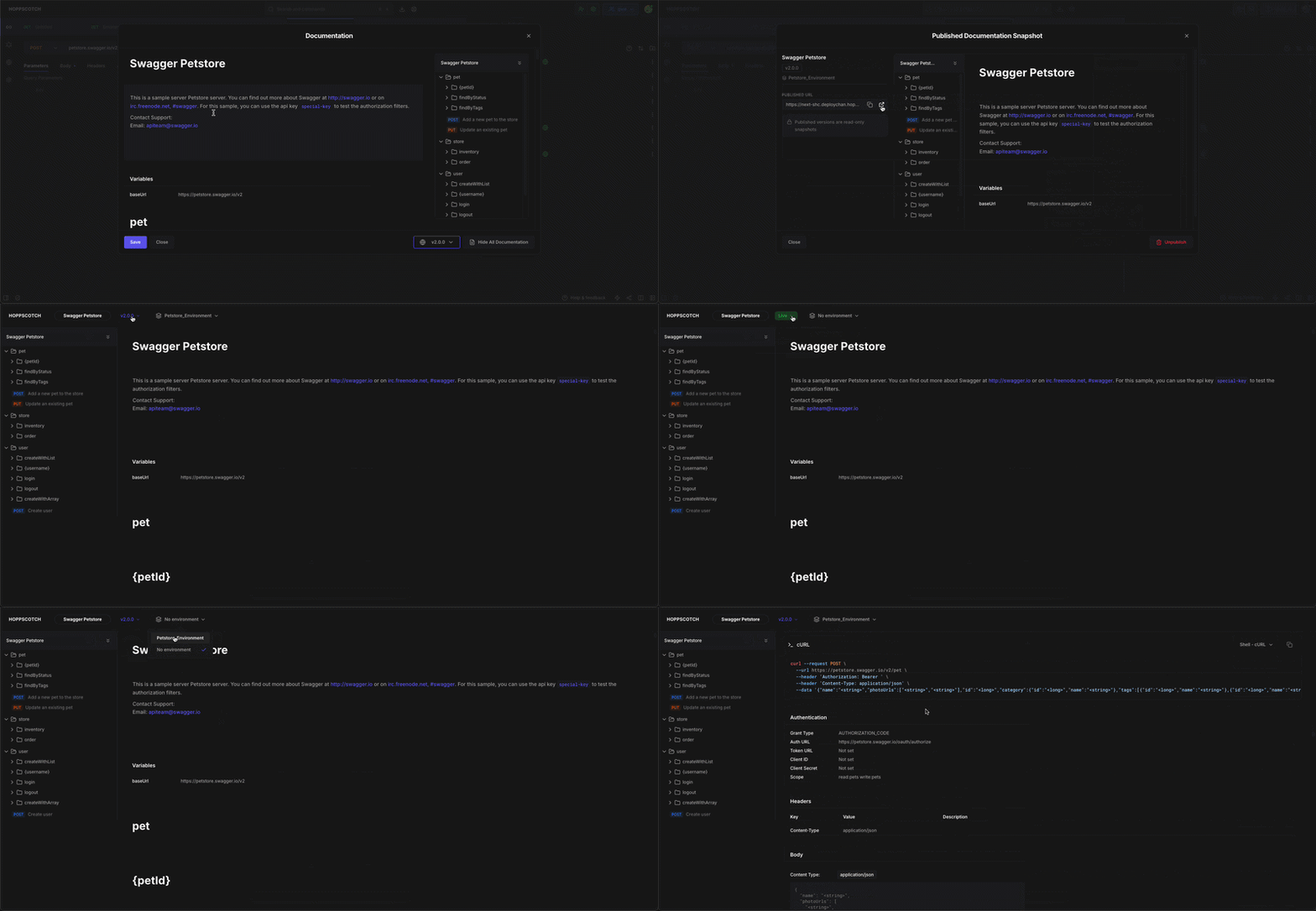
After creating a version, a snapshot view of the published documentation opens up. This provides a preview of what your users will see. The snapshot view displays:- Title and Version: The documentation name and version label (e.g., “Swagger Petstore v2.0.0”).
- Published URL: The shareable link to your documentation with options to copy or open in a new tab.
- Collection Structure: A preview of your API endpoints organized by folders.
- Documentation Content: The description, contact information, and variables (such as
baseUrl) from the attached environment.
Published versions are read-only snapshots. To make changes, create a new
version or enable auto-sync with the collection.
Managing Published Documentation
- Update: Republish to reflect collection changes.
- Unpublish: Remove public access at any time.
- Share: Copy the documentation URL to distribute.
Viewing Published Documentation